Lesson Plan: Designing an Algorithm to Solve Everyday Problems
Unit Theme: Computer Science Foundations
Grade Level: Middle School (6–8)
Length: 2 class periods
Framework: Design Thinking + Computational Thinking + Makerspace
Essential Question:
How can we design step-by-step instructions that help computers (and humans) solve problems?
-
Objectives
Students will:
* Understand what an algorithm is
* Practice computational thinking (decomposition, pattern recognition, logical steps)
* Use the design thinking process to design a problem-solving system
* Build a physical model of an algorithm
-
Key Concepts
Students learn:
Algorithm
A step-by-step set of instructions for solving a problem.Input
Information given to the system.Process
The steps the system follows.Output
The final result. -
Materials (Makerspace)
Students create a physical algorithm prototype.
Possible supplies:
* index cards
* sticky notes
* poster paper
* arrows or string
* cardboard
* markers
* colored stickers
* simple switches or LEDs (optional)
Lesson Structure Using the Design Process
1. Empathize
Scenario Activity
Students discuss situations where clear instructions matter.
Examples:
following a recipe
giving directions
organizing schoolwork
sorting recycling
Ask students:
What happens when instructions are unclear?
Why do computers need very precise instructions?
Students identify how algorithms help solve everyday problems.
2. Define
Students write a problem statement.
Examples:
Students often forget the order of steps when getting ready for school.
Other possible problems:
sorting recycling correctly
organizing homework priorities
determining lunch lines efficiently
choosing which book to read next
Each group chooses one problem to solve using an algorithm.
3. Ideate
Students brainstorm possible step-by-step solutions.
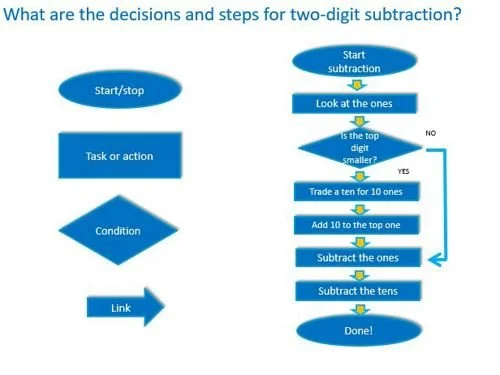
Students sketch two possible algorithm solutions using.a flowchart design.
Encourage them to think about:
inputs
decisions
outputs
4. Prototype (Makerspace)
Students build a physical algorithm model.
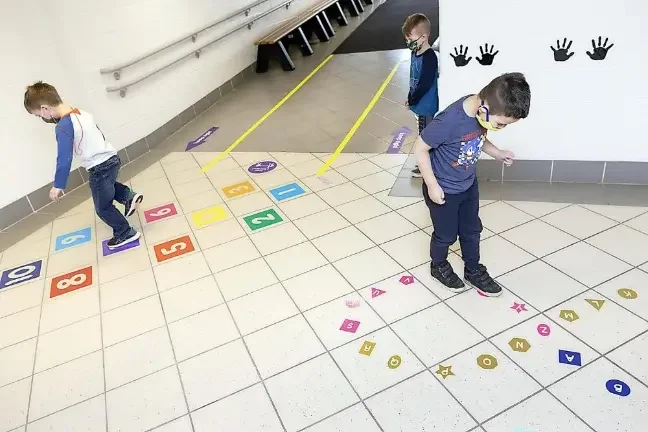
Option 1: Human Algorithm Path
Students create a decision pathway on the floor using arrows and cards.
Example:
Start → Check homework → Check difficulty → Choose task
Students physically walk through the algorithm.
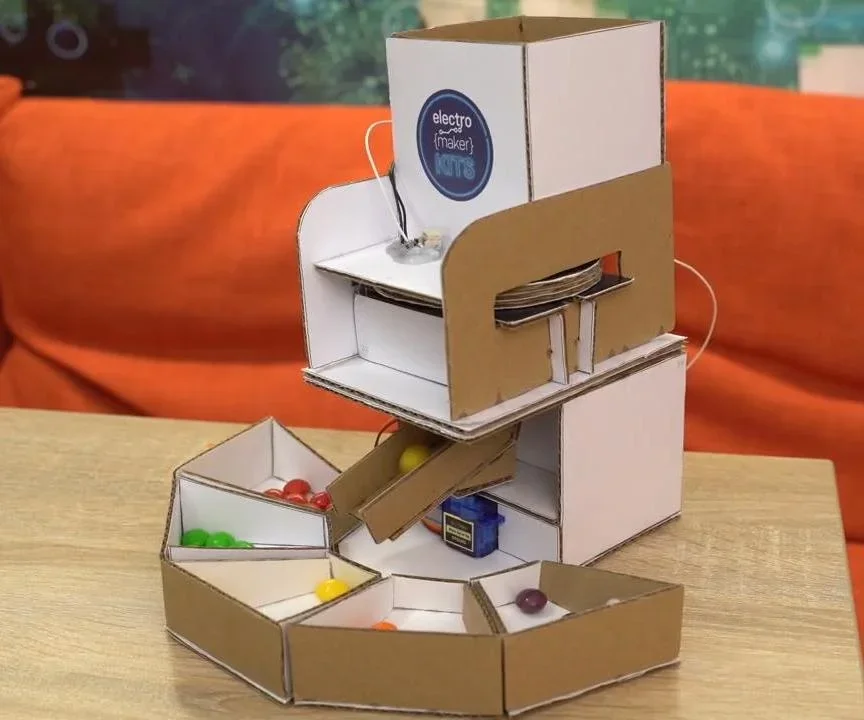
Option 2: Sorting Machine
Students design a cardboard sorting machine.
Example systems:
recycling sorter
homework priority sorter
library book organizer
Input cards go into the machine and follow branching paths.
Option 3: Flowchart Board
Students build a large visual flowchart using:
index cards
arrows
colored paths
This shows the algorithm clearly.
5. Test & Improve
Students test their algorithm using new scenarios.
Example:
Homework tasks:
Math due tomorrow
Science due next week
History quiz Friday
Students see if the algorithm makes consistent decisions.
They revise steps if needed.
Ethics Discussion
Students discuss:
What happens when algorithms make mistakes?
Who is responsible for designing good algorithms?
Why should algorithms be clear and transparent?
Students reflect on how poor instructions can create unfair or confusing outcomes.