Lesson Plan: Designing a Landing Page for a Campaign or Idea
Unit Theme: Web Design and Digital Communication
Grade Level: Middle School (6–8)
Length: 2–3 class periods
Focus: Landing page design for promoting ideas or campaigns
Framework: Design Thinking + Web Development
Essential Question:
How can we design a website that clearly communicates an idea or promotes a campaign?
-
Objectives
Students will:
* Understand the purpose of a landing page
* Identify key elements of effective web design
* Apply the design process to plan a website
* Create a landing page prototype
* Communicate an idea, product, or campaign to an audience
-
Key Concepts
Students learn:
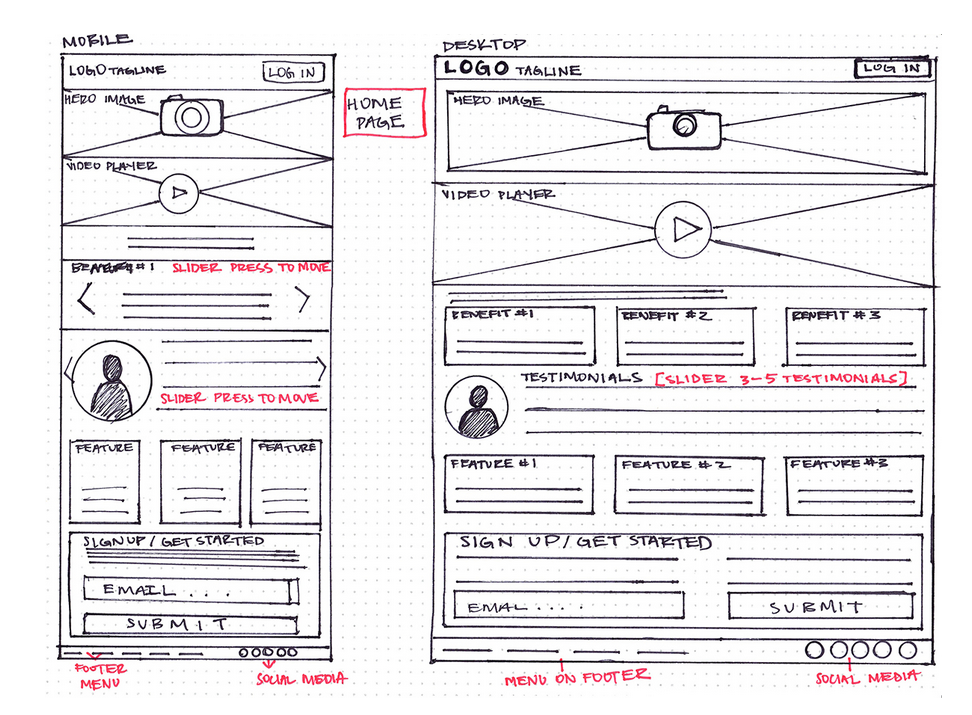
Students learn the structure of a landing page:
Header
* title
* navigation menu
Hero Section
* main message
* image or graphic
Content Section
* explanation of idea or campaign
Call to Action
* encourage user to take action
Example actions:
* learn more
* join a campaign
* donate
* sign up
-
Materials (Makerspace)
Students may use:
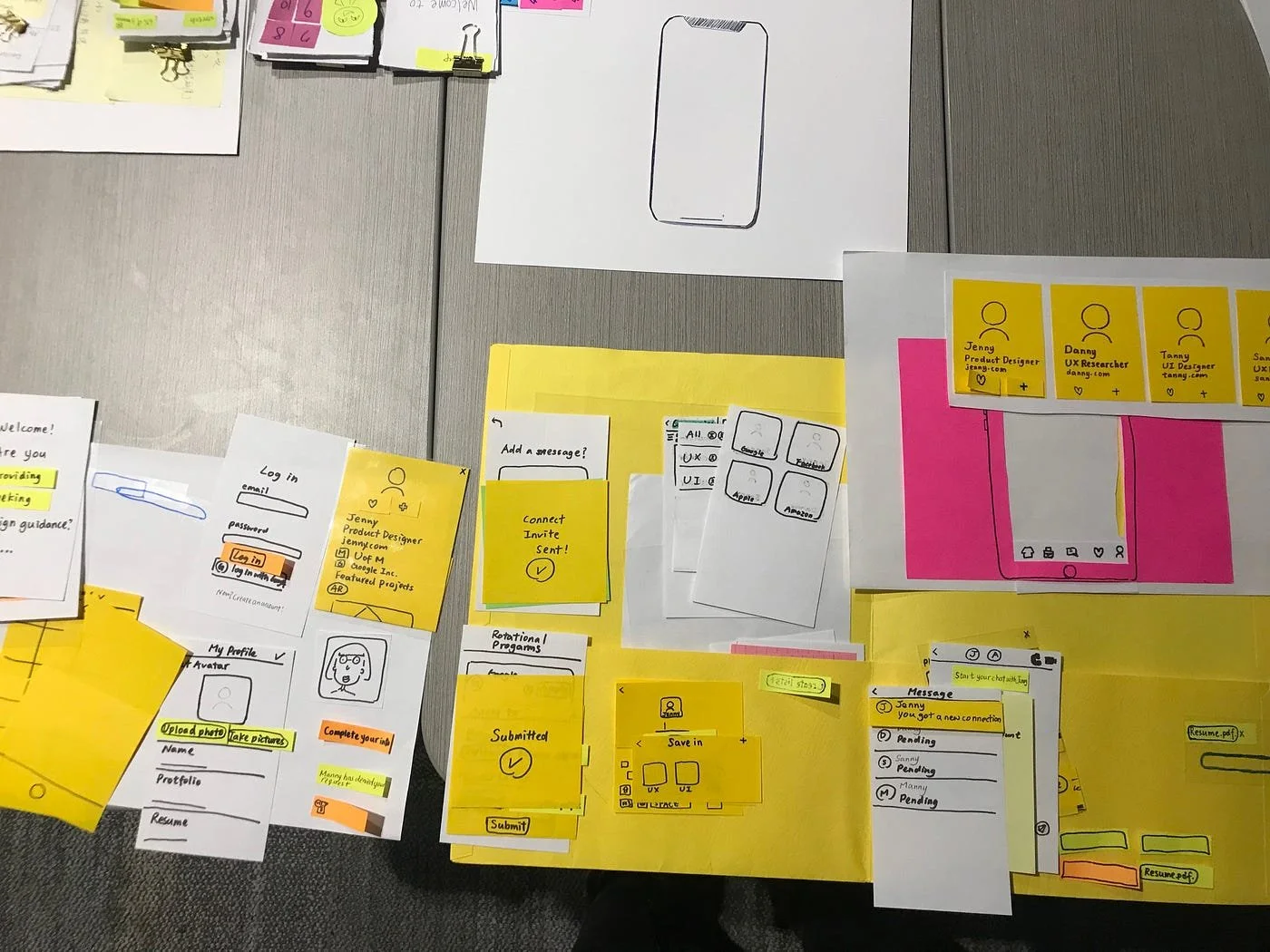
Paper Prototyping (Makerspace)
* paper
* markers
* sticky notes
* cardboard
* printed phone or laptop frames
Digital Tools (Optional)
* HTML/CSS editor
* Google Sites
* Wix
* Canva
Lesson Structure Using the Design Process
1. Empathize
Scenario Activity
Students think about who the website is for.
Possible audiences:
students
parents
tourists
community members
Students ask:
What information does this audience need?
What would make them interested in this topic?
2. Define
Students choose a topic for their landing page.
Examples:
environmental awareness campaign
school club promotion
student project showcase
tourism page about Antigua
digital safety awareness
Students write a problem statement:
Example:
Students need a clear and engaging website to learn about recycling at school.
3. Ideate
Students sketch multiple landing page ideas.
They decide:
color scheme
layout
images
navigation structure
message
4. Prototype (Makerspace)
Students create a prototype website.
Option 1: Paper Prototype
Students build a paper landing page layout.
They include:
page title
images
buttons
text blocks
Sticky notes can simulate clickable buttons.
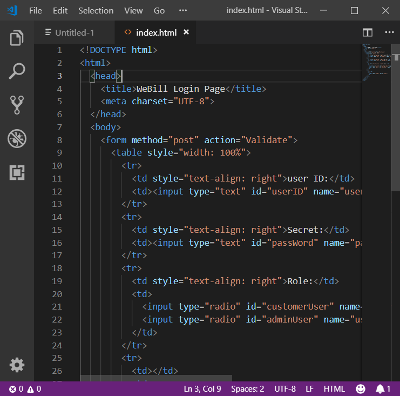
Option 2: Simple HTML Page
Students create a basic landing page using HTML.
5. Test & Improve
Students test each other's websites.
Test questions:
Is the message clear?
Is the page easy to navigate?
Would you take the action suggested?
Students revise their designs.
Ethics Discussion
Students discuss responsible web design.
Topics:
misleading information
advertising transparency
accessibility
respectful communication online
Prompt:
What responsibility do web designers have when sharing information online?